Reviews
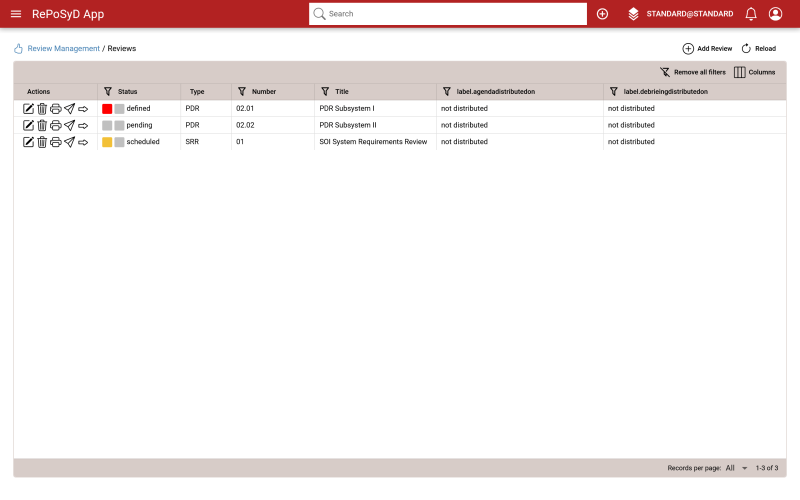

Table 1: Review Management: Table View Toolbar
| Opens the dialog for adding a new review. | |
| Reloads the dashbaord. |
Table 2: caption
| Header1 | Header2 |
|---|---|
| proposed | The data item has been proposed for presentation in the review. |
| accepted | The data item has been accepted for presentation in the review. |
| released | The data item has been released for distribution |
| reviews | The data item has been presented in the review. |
Table 3: Review Management: Review Actions
| Opens the review editor page. | |
| Deletes the respective rewview. | |
| Reloads the dashbaord. | |
| Opens the dialog for distributing the selected review. | |
| Opens the dialog for changing the status of the respective review. |
Adding a Review
To add a review, click on the button in the right corner of the toolbar. This will open 'Create Review' dialog.
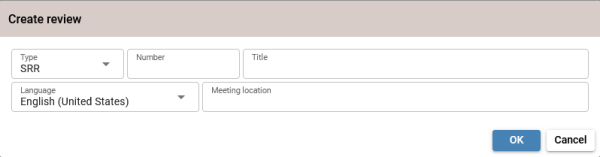

Type in the a review number, title, meeting location, and select the type of of review and language. Click on OK to create the review or Cancel to close the dialog without creating a review.